
SMTP Send Client
Troubleshoot, tune, and send with confidence.
SMTP Send Client is a free, native test bench for email administrators, developers and IT teams. Send through any SMTP server or twelve integrated API providers, inspect the TLS certificate, read the diagnostics, and keep credentials in an encrypted local vault.
Free · Windows, macOS and CLI · no telemetry, nothing leaves your machine
A complete email testing suite in one window
Everything you need to prove a mail path works, or find out exactly why it does not.
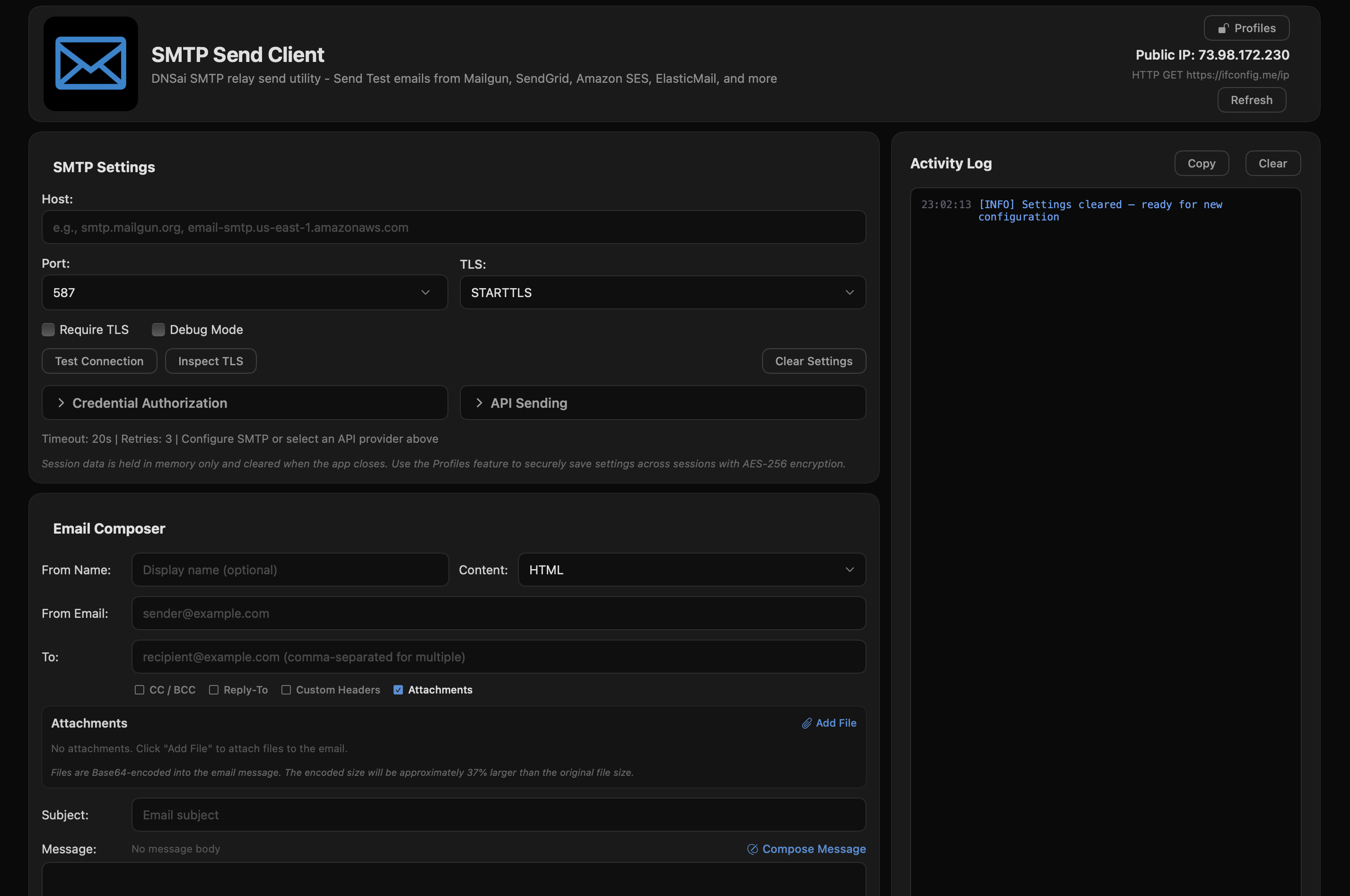
Configure, send, and read the log in one screen
Test SMTP servers, preview HTML mail, and diagnose delivery problems from a single window.
Built for the people who fix email
Encrypted profile vault
Save SMTP and API credentials locally with AES-256-GCM encryption behind a master password. Or save nothing and use it as a one-off test bench.
TLS certificate inspection
See the full chain: protocol version, cipher suite, issuer, validity dates and SHA-256 fingerprints.
SMTP diagnostics
A 24-code error database with actionable hints. Port connectivity tests catch ISP blocking, firewall rules and DNS failures.
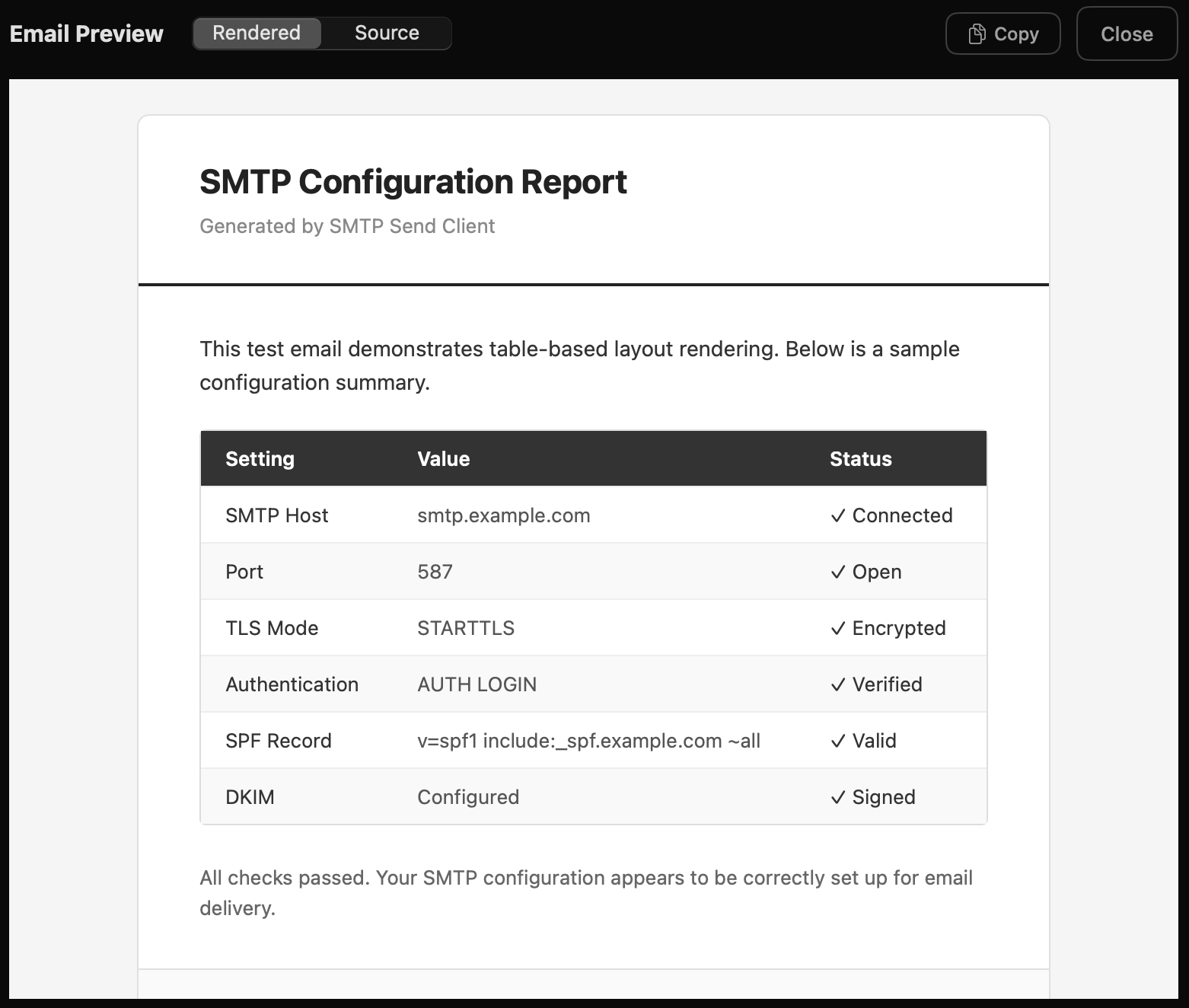
HTML email preview
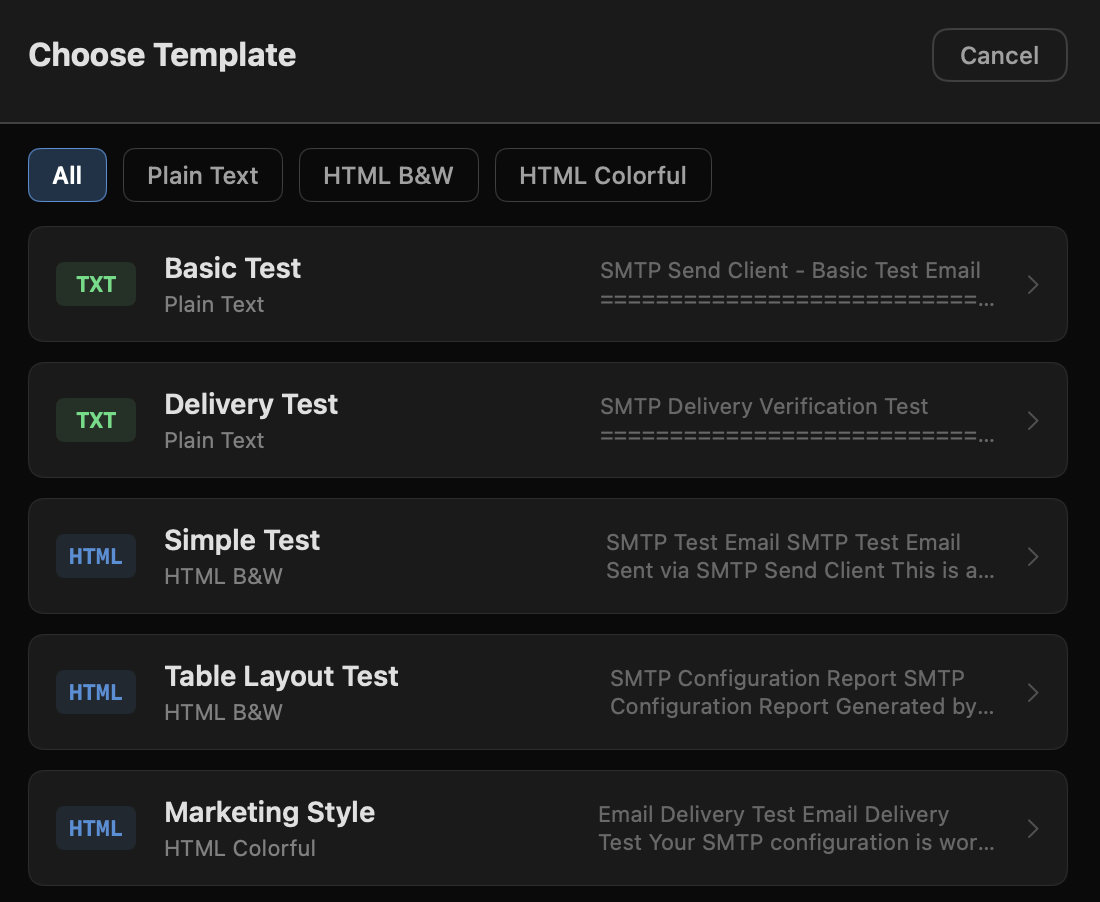
Compose in plain text or HTML with auto-detection. Live preview with rendered and raw-source views, plus six templates.
Twelve API providers
One-click sending through SendGrid, Mailgun, Amazon SES, Postmark, Brevo and seven more, with authentication handled for you.
Zero telemetry
No analytics, no tracking, no data collection. Credentials stay on your device. App Sandbox and hardened runtime on macOS.
Twelve email APIs, one click each
API-based sending with the major email service providers. Authentication is handled automatically: API keys, dual keys, AWS Signature V4, OAuth2 and bearer tokens.
 SendGridTwilio's cloud email platform
 MailgunTransactional email API by Sinch
 Amazon SESAWS, 14 regions
 PostmarkFast delivery by ActiveCampaign
 BrevoMarketing & transactional
 MailjetDual API key authentication
 SMTP2GOReliable SMTP and API service
 SendPulseMulti-channel with OAuth2
 SocketLabsEmail infrastructure provider
 Campaign MonitorTemplate-based delivery
Plus any SMTP relay: STARTTLS, implicit SSL/TLS or unencrypted, on ports 25, 465, 587 and 2525.
What it does, precisely
SMTP & API sending
- Direct SMTP relay with STARTTLS, implicit SSL/TLS and unencrypted modes
- Twelve integrated API providers for one-click sending
- Configurable timeouts with retry logic and exponential backoff
Email composition
- HTML and plain text with auto-detection
- Live HTML preview with rendered and raw-source views
- Six preloaded templates: plain text, black-and-white HTML, colourful marketing
- Custom headers and file attachments
- Multiple recipients, CC, BCC and Reply-To
Diagnostics & troubleshooting
- 24 SMTP error codes with actionable hints
- Port connectivity testing for ISP blocking and firewall issues
- Port and TLS mismatch warnings, API key validation
- Real-time colour-coded activity log
Privacy & security
- AES-256-GCM vault with PBKDF2 key derivation
- No analytics, no tracking, no telemetry
- App Sandbox and hardened runtime
- Zero external dependencies, native frameworks only
See the message before it leaves
Free. No subscription, no limits.
Enter your email and we send a secure download link that works for 48 hours.

Under the hood
macOS version
- Version
- 1.08 (build 108)
- Platform
- macOS 14.0 Sonoma and later
- Architecture
- Universal (Apple Silicon and Intel)
- Frameworks
- SwiftUI, CryptoKit, Network
- Security
- App Sandbox, hardened runtime
Windows version
- Version
- 1.0.7.0
- Platform
- Windows 10 and 11, x64
- Package
- MSIX installer
- Frameworks
- .NET, WinUI
- Security
- Signed package, sandboxed
Security & encryption
- Vault
- AES-256-GCM with PBKDF2-HMAC-SHA256, 600,000 iterations
- Transport
- TLS/SSL for SMTP, HTTPS for every API call
- Authentication
- SMTP AUTH LOGIN, AWS Signature V4, OAuth2, bearer tokens, basic auth
Straight answers
Is SMTP Send Client really free?
Yes, completely free with no limitations. The Windows version and the CLI tool are available now, and the macOS version is free as well.
What SMTP ports are supported?
All standard ports: 25 (unencrypted), 465 (implicit SSL/TLS), 587 (STARTTLS), and 2525 (alternative). The app runs locally and includes port connectivity testing to show whether your ISP is blocking a port, a common cause of failed delivery.
Does the app collect any data?
No. SMTP Send Client has no analytics, no tracking, and no telemetry. Everything runs locally on your device and nothing is shared with DNSai or any cloud service.
Do I have to store my credentials?
No. SMTP Send Client is designed as a test bench: you can enter credentials for a single session without saving anything. If you choose to save server profiles, they are stored locally in an AES-256-GCM encrypted vault behind a master password you set. Nothing is ever shared with DNSai or any cloud service.
Can I test HTML emails?
Yes. The app includes a live HTML preview, auto-detection between HTML and plain text, and six preloaded email templates for thorough testing.
Test your email configuration today
Verify SMTP servers, test API providers, inspect TLS certificates and diagnose delivery issues. No cost, no limits.