Which Email Gateway Does a Company Use? Read the MX
Open a terminal and run one query.
Nothing came back. Not a timeout, not a typo, not a blocked resolver. The query succeeded and the answer was empty, and it was still empty when we asked 8.8.8.8 and 1.1.1.1 separately on 2026-08-01.
Read that literally and you conclude that one of the largest banks on earth does not accept email. Which is nonsense. Hold onto it anyway, because sorting out exactly why it is nonsense turns out to be the most useful thing on this page.
None of the rest of this works unless a stranger can look up where to send you mail.
Inbound mail routing is public because it has to be
Almost everything a company buys to defend its email is invisible from outside. You cannot see the tuning, the quarantine policy, the licence count, the seat price. But there is one component that cannot hide, and it cannot hide for a structural reason: a stranger's mail server has to know where to deliver your mail before it can deliver any. That address is published in DNS, in the open, to everybody.
The record carrying it is tiny. RFC 1035 gave MX the type code 15 back in 1987 and gave its RDATA exactly two fields. The first is a number:
"A 16 bit integer which specifies the preference given to this RR among others at the same owner. Lower values are preferred."
— RFC 1035, Section 3.3.9, IETF / RFC Editor, November 1987
The second is a name, and the second is the one that leaks:
"A <domain-name> which specifies a host willing to act as a mail exchange for the owner name."
— RFC 1035, Section 3.3.9, IETF / RFC Editor, November 1987
A host willing to act as a mail exchange. Not a host the organisation necessarily owns. When a company buys a cloud email gateway, the vendor operates the receiving machines, the vendor names them, and the name goes into the customer's zone. So the customer publishes the vendor's brand into public DNS as a condition of the product working at all.
And senders are required to honour it. RFC 5321 Section 5.1, the current normative text for locating a mail host, closes off the alternative:
"If one or more MX RRs are found for a given name, SMTP systems MUST NOT utilize any address RRs associated with that name unless they are located using the MX RRs; the "implicit MX" rule above applies only if there are no MX records present."
— RFC 5321, Section 5.1: Locating the Target Host, IETF / RFC Editor, October 2008
That is the whole basis of the technique. Reading a stranger's MX set is passive reconnaissance with a catalogue number. MITRE ATT&CK files it as T1590.002, observing that "DNS MX, TXT, and SPF records may also reveal the use of third party cloud and SaaS providers, such as Office 365, G Suite, Salesforce, or Zendesk", and our piece on DNS recon into Entra tenant IDs takes that framing further than this article will.
How to read a record set without getting the priorities wrong
The lookup itself is unremarkable. If you have never run one, our MX record primer walks through the basics; here are the flags that matter when you are profiling rather than troubleshooting.
Windows
1. Open Command Prompt or PowerShell.
2. Ask for MX and read the whole reply, not a summary:
An empty answer with an SOA line underneath is a real answer. Note it.
macOS
1. Open Terminal from Applications > Utilities.
2. Keep the authority section so you can tell nothing from no-such-domain:
Linux
1. Open a terminal (usually Ctrl+Alt+T).
2. Take a second opinion before you write anything down:
Now the part that half the internet gets wrong.
Preference numbers are not weights. A domain publishing hosts at 10 and 20 is not splitting mail two-to-one, or nine-to-one, or any-to-one. RFC 5321 Section 5.1 is explicit about what the number is for, and about the one narrow place where sender-side spreading happens:
"MX records contain a preference indication that MUST be used in sorting if more than one such record appears (see below). Lower numbers are more preferred than higher ones. If there are multiple destinations with the same preference and there is no clear reason to favor one (e.g., by recognition of an easily reached address), then the sender-SMTP MUST randomize them to spread the load across multiple mail exchangers for a specific organization."
— RFC 5321, Section 5.1: Locating the Target Host, IETF / RFC Editor, October 2008
Sorting, then randomisation scoped to ties. That is the entire mechanism. The rule is older than the current SMTP specification: RFC 974, published January 1986 and long since obsoleted, already had both halves of it. But RFC 5321 is the text to cite today.
So when you see this, you are looking at a pair of equally preferred hosts, and senders are required to pick between them at random:
And when you see this, you are looking at an ordering, where the second tier is reached only when the first is not:
Those two shapes are extremely common. Jukka Ruohonen's active measurement study of MX-based redundancy found that most domains publishing MX do something along these lines:
"this paper examines BLBFO configurations with an active measurement study covering over 2.7 million domains from which about 2.1 million have MX records. Of these MX-enabled domains, about 60% are observed to use BLBFO, and MX-based balancing seems more common than round-robin DNS."
— Measuring Basic Load-Balancing and Fail-Over Setups for Email Delivery via DNS MX Records, Jukka Ruohonen, arXiv, 25 February 2020
The fingerprint table, with its documentation honestly labelled
Once you accept that the EXCHANGE hostname belongs to whoever runs the machine, vendor identification becomes pattern matching. Not every pattern is equally well attested, though. Some vendors publish their hostname format in open documentation, and you can cite the page. Others tell customers to copy a per-account value out of a console, and the pattern circulating online is a community convention that nobody official has ever confirmed. That difference belongs in the table, not in a footnote.
| Vendor | Inbound hostname pattern | Where the pattern comes from |
|---|---|---|
| Microsoft 365 / Exchange Online (legacy name) | <MX token>.mail.protection.outlook.com; also mail.eo.outlook.com, mail.protection.outlook.de | First-party documented — Microsoft Learn |
| Microsoft 365 / Exchange Online (DNSSEC name) | <MX token>.<subdomain>.mx.microsoft | First-party documented — Microsoft Learn |
| Google Workspace (current guidance) | smtp.google.com, priority 1, single record | First-party documented — Google Workspace Help |
| Google Workspace (legacy sets) | aspmx.l.google.com plus alt1–alt4; older aspmx2/aspmx3.googlemail.com | Partly — Google confirms pre-2023 aspmx values still work but no longer enumerates the host list |
| Symantec / Broadcom Email Security.cloud (MessageLabs) | clusterX.XX.messagelabs.com at 10, clusterXa.XX.messagelabs.com at 20 | First-party documented — Broadcom KB 161419 |
| Cloudflare Email Security (formerly Area 1) | mxa.global.inbound.cf-emailsecurity.net / mxb.global.inbound.cf-emailsecurity.net | First-party documented — Cloudflare One docs |
| Cisco Secure Email Cloud Gateway | mx1.<alloc>(.<region>).iphmx.com; region labels include c3s2 (UK), eu, ca, ap | First-party documented — Cisco CES docs |
| Proofpoint | mxa-/mxb-<8 hex>.gslb.pphosted.com; mx0a-/mx0b-<8 hex>.pphosted.com; mx1-/mx2-<region>.ppe-hosted.com | Observed only. Proofpoint's Essentials connection-details page returned a sign-in error to us, and Proofpoint directs customers to read their own MX values from the admin console. Do not cite this pattern as vendor-documented |
| Mimecast | xx-smtp-inbound-1.mimecast.com / xx-smtp-inbound-2.mimecast.com at equal priority 10, xx being the account region | Observed only. Mimecast's help centre returned HTTP 403 to us after redirecting off its old community domain |
| Check Point Harmony Email & Collaboration (Avanan) | Not printed here | Not verified. The vendor page we tried returned HTTP 404, so we publish no hostname pattern for it |
| Trend Micro Email Security | Per-customer FQDN issued in the welcome email | Documented that there is no public pattern — Trend Micro docs |
| Barracuda Email Gateway Defense | Per-customer values shown in the product UI | Documented, but the public page tells admins to copy them from the console rather than printing them |
| Fortinet FortiMail | Customer-chosen FQDN of the FortiMail unit | Documented, but with no vendor-owned suffix to fingerprint — the deployment hides behind a customer name |
| Abnormal AI | None. API integration, no MX record | Vendor states that no MX change is required |
Two rows in that table are more instructive than the rest. Fortinet's row is a whole category: a gateway sitting behind a customer-owned hostname is a gateway you cannot name from DNS. And Abnormal's row is the category that matters most, which we will come back to at the end.
One more readable property, while you are in here. Proofpoint and MessageLabs hostnames both carry a stable per-customer identifier: the eight hex characters in mxa-00013f02, the cluster number in cluster14.us. That is an observable feature of the name format, and its practical use is modest. Two domains publishing the same identifier are plausibly the same account. What the hex encodes, we are not going to guess.
Check a Domain's MX Set Now
DNSai's lookup runs the MX query and matches the hostnames against a maintained dictionary of 279 email-gateway vendors. On 2026-08-01 that dictionary resolved six of the seven hostname families in our sample and missed the seventh outright. That is roughly what a heuristic dictionary should be expected to do. It is a shortcut for the naming conventions, not a registry of who buys what.
Look Up a Domain →Microsoft is legible twice over
Microsoft publishes the target format its customers must use, which makes it the easiest fingerprint in email. The external DNS records page spells out the whole record: "Target email server:<MX token>.mail.protection.outlook.com Time To Live (TTL) Value: 3600 Preference/Priority: Lower than any other MX records (this ensures mail is delivered to Exchange Online) - for example 1 or 'low'".
That is the name almost everybody knows. On 2026-08-01 we saw it on eleven domains, and the token is usually just the domain with its dot swapped for a hyphen:
Then two domains in the same sample answered with something else entirely:
A different base domain, and an extra label between the tenant token and the end. This is documented, and the documentation ties it to a specific feature rather than a rebrand. Microsoft's SMTP DANE page describes it as the value an administrator gets back when enabling DNSSEC for inbound mail on an Exchange Online accepted domain, via the Enable-DnssecForVerifiedDomain cmdlet:
"The success response provides the MX value for the domain. This value is the name that the new MX record points to for the domain you're enabling with DNSSEC."
— How SMTP DNS-based Authentication of Named Entities (DANE) works, Microsoft Learn, 21 July 2026
Microsoft writes the generic form as <MX token>.<subdomain>.mx.microsoft and publishes two worked examples, contosotest-com.o-v1.mx.microsoft and contoso-com.e-v1.mx.microsoft. Put those next to siemens-com.h-v1 and shell-com.q-v1 and the shape matches exactly, down to the letter-hyphen-v1 middle label. Elsewhere on the same page Microsoft's error text refers to the per-domain allocation as a "partition". The underlying standard is RFC 7672, SMTP DANE, which needs DNSSEC to work at all. Hence a new name in a signed zone.
Microsoft also documents the cutover, and the order is worth knowing because it means a domain can legitimately publish two Microsoft MX records at once: add the new record at priority 20, verify, move the legacy record to 30, move the new one to 0, and only then "Delete the legacy MX record ending with "mail.protection.outlook.com", "mail.eo.outlook.com", or "mail.protection.outlook.de"."
Now the honest part. Microsoft's procedure ends with the new record at priority 0, and both domains we observed sat at 10. That could be an in-flight migration, a customised configuration, or something else; it is an observation, not a verdict. And nowhere in Microsoft's documentation did we find a statement that the legacy mail.protection.outlook.com name is deprecated, that a mass migration is running, or what share of tenants uses each form. We are not going to fill that gap for them. Thirteen Microsoft-fronted domains in a hand-picked sample, eleven on the old name and two on the new one, supports neither "the new format is rare" nor "the old one is being retired". Expect to meet both, and write your parsers accordingly. There is a parallel story in Microsoft's DKIM CNAME target format, which a companion post on finding DKIM selectors covers in detail.
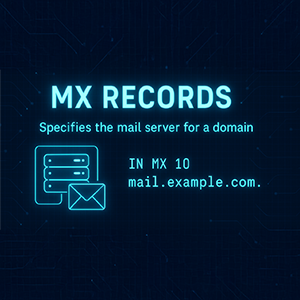
Two fields, one number and one name.
The number is a sort order.
The name usually belongs to whoever runs the first inbound hop.
Neither field tells you anything about outbound mail.
What thirty-five domains published on 2026-08-01
Here is the raw material, taken from one vantage point on 2026-08-01 with every headline finding re-checked against at least two of 8.8.8.8, 1.1.1.1 and 9.9.9.9. Read the caveat before the table, because it governs everything in it: this is a hand-picked list of large, mostly US and European enterprises. It is not a survey, it was not sampled, and no market share, ranking or trend can be computed from it. We are printing it in full so you can see exactly how small and how skewed it is.
| Domain | MX records observed 2026-08-01 | First inbound hop points into |
|---|---|---|
| pfizer.com | 10 mxa-00013f02.gslb.pphosted.com 10 mxb-00013f02.gslb.pphosted.com | Proofpoint infrastructure |
| salesforce.com | 10 mxa-00177002.gslb.pphosted.com 10 mxb-00177002.gslb.pphosted.com | Proofpoint infrastructure |
| paloaltonetworks.com | 10 mxa-00169c01.gslb.pphosted.com 10 mxb-00169c01.gslb.pphosted.com | Proofpoint infrastructure |
| oracle.com | 20 mxa-00069f01.gslb.pphosted.com 20 mxb-00069f01.gslb.pphosted.com | Proofpoint infrastructure |
| hsbc.com | 10 mxa-00299f02.gslb.pphosted.com 10 mxb-00299f02.gslb.pphosted.com | Proofpoint infrastructure |
| goldmansachs.com | 10 mxa-0014b501.gslb.pphosted.com 10 mxb-0014b501.gslb.pphosted.com | Proofpoint infrastructure |
| verizon.com | 15 mxa-0024a201.gslb.pphosted.com 15 mxb-0024a201.gslb.pphosted.com | Proofpoint infrastructure |
| walmart.com | 10 mxa-000c7201.gslb.pphosted.com 10 mxb-000c7201.gslb.pphosted.com | Proofpoint infrastructure |
| target.com | 5 mxa-0020ab02.gslb.pphosted.com 5 mxb-0020ab02.gslb.pphosted.com | Proofpoint infrastructure |
| nasdaq.com | 10 mxa-00614f02.gslb.pphosted.com 10 mxb-00614f02.gslb.pphosted.com | Proofpoint infrastructure |
| sony.com | 10 mxa-001d1709.gslb.pphosted.com 10 mxb-001d1709.gslb.pphosted.com | Proofpoint infrastructure |
| costco.com | 10 mx0a-001f9d01.pphosted.com 10 mx0b-001f9d01.pphosted.com | Proofpoint infrastructure, second hostname family |
| att.com | 10 mx0a-00191d01.pphosted.com 10 mx0b-00191d01.pphosted.com 20 mxa-00191d01.gslb.pphosted.com 20 mxb-00191d01.gslb.pphosted.com | Proofpoint infrastructure — both hostname families, same identifier 00191d01, at two tiers |
| github.com | 0 github-com.mail.protection.outlook.com | Microsoft 365, no third-party gateway in front |
| microsoft.com | 10 microsoft-com.mail.protection.outlook.com | Microsoft 365 |
| xbox.com | 10 xbox-com.mail.protection.outlook.com | Microsoft 365 |
| sap.com | 0 sap-com.mail.protection.outlook.com | Microsoft 365 |
| unilever.com | 10 unilever-com.mail.protection.outlook.com | Microsoft 365 |
| nvidia.com | 10 nvidia-com.mail.protection.outlook.com | Microsoft 365 |
| bmw.com | 10 bmw-com.mail.protection.outlook.com | Microsoft 365 |
| nestle.com | 10 nestle-com.mail.protection.outlook.com | Microsoft 365 |
| vodafone.com | 10 vodafone-com.mail.protection.outlook.com | Microsoft 365 |
| bp.com | 10 bp-com.mail.protection.outlook.com 20 bp-com.mail.protection.outlook.com | Microsoft 365, one hostname at two priorities |
| adobe.com | 1 adobe-com.mail.protection.outlook.com 2 adobe.mail.protection.outlook.com | Microsoft 365, two tenant-side names at two priorities |
| siemens.com | 10 siemens-com.h-v1.mx.microsoft | Microsoft 365, DNSSEC hostname format |
| shell.com | 10 shell-com.q-v1.mx.microsoft | Microsoft 365, DNSSEC hostname format |
| stripe.com | 10 aspmx.l.google.com 20 alt1.aspmx.l.google.com 20 alt2.aspmx.l.google.com 30 aspmx2.googlemail.com 30 aspmx3.googlemail.com | Google Workspace, legacy-era five-record set |
| shopify.com | 1 aspmx.l.google.com 5 alt1.aspmx.l.google.com 5 alt2.aspmx.l.google.com 10 alt3.aspmx.l.google.com 10 alt4.aspmx.l.google.com | Google Workspace, legacy-era 1/5/5/10/10 set |
| cloudflare.com | 5 mxa-canary.global.inbound.cf-emailsecurity.net 5 mxb-canary.global.inbound.cf-emailsecurity.net 10 mxa.global.inbound.cf-emailsecurity.net 10 mxb.global.inbound.cf-emailsecurity.net | Cloudflare Email Security. Identical on all three resolvers |
| boeing.com | 10 clt-mbsin-01.mbs.boeing.net 10 clt-mbsin-02.mbs.boeing.net 10 clt-mbsin-03.mbs.boeing.net 10 clt-mbsin-04.mbs.boeing.net | Boeing-controlled infrastructure. No third-party gateway visible |
| linkedin.com | 10 mail-a.linkedin.com 10 mail-c.linkedin.com 10 mail-d.linkedin.com 20 mail.linkedin.com | LinkedIn-controlled infrastructure |
| fedex.com | 100 mapper.gslb.fedex.com 200 mxa-0002ee02.gslb.pphosted.com 200 mxb-0002ee02.gslb.pphosted.com | FedEx-controlled host preferred, Proofpoint infrastructure behind it |
| airbus.com | 4 mx1.myeers.net 8 mx2.myeers.net | Unmatched. Our dictionary does not know this name and we are not guessing |
| jpmchase.com | 10 cluster14.us.messagelabs.com 20 cluster14.us.messagelabs.com 30 cluster14.us.messagelabs.com 40 cluster14a.us.messagelabs.com | Symantec / Broadcom MessageLabs infrastructure |
| jpmorganchase.com | (no MX records) | Nothing published. See below |
Fourteen of the thirty-four domains that published MX records that day pointed into Proofpoint-operated infrastructure. Thirteen of them used it at every priority tier. The fourteenth is fedex.com, which puts a FedEx-controlled host in front and Proofpoint behind it, so it belongs in the count only if you are careful about what the count means. Here is what it means: those fourteen domains, on that day, from that resolver. It is not a share of anything. The list was assembled by hand from companies we could all name, which is the definition of a biased sample, and refusing to extrapolate from it is not modesty — it is the only defensible reading. Anyone who converts a list like this into a vendor ranking has invented a statistic.
Two phrasing rules go with the table. "Points into Proofpoint's infrastructure" is the claim the evidence supports. "Is a Proofpoint customer" is not: resellers, managed service providers, acquired subsidiaries and stale configurations all break the naive mapping. And linkedin.com's self-operated hosts are a reminder that corporate ownership does not determine mail platform. We are not going to speculate about why.
The one that got away
airbus.com publishes mx1.myeers.net and mx2.myeers.net. Our dictionary has 279 entries and none of them match it. We could speculate; instead, here is the coverage check exactly as it ran on 2026-08-01, misses included.
| Observed hostname | Dictionary match |
|---|---|
siemens-com.h-v1.mx.microsoft | Microsoft 365 |
shell-com.q-v1.mx.microsoft | Microsoft 365 |
microsoft-com.mail.protection.outlook.com | Microsoft 365 |
cluster14.us.messagelabs.com | Symantec (Broadcom) |
mxa-canary.global.inbound.cf-emailsecurity.net | Area1 Security (Cloudflare) |
mxa-00013f02.gslb.pphosted.com | Proofpoint |
mx1.myeers.net | No match |
The mx.microsoft rows are the good news and they are also the point: somebody had to notice the new Microsoft format and add it, or those two domains would have come back unidentified too. That is what dictionary maintenance looks like from the inside. One unmatched hostname in a sample this small is a fair estimate of the floor, and printing it is what makes the other rows worth reading.
A note on our own stale example
Both Google sets in the table are legacy-era, and that includes shopify.com's 1/5/5/10/10 arrangement. Google's current documented value is a single record, smtp.google.com at priority 1. The old values still work, and Google says so plainly:
"If you started using Google Workspace before 2023, your domain might have different MX record values that start with 'aspmx'. If your email is working, no changes are required."
— Set up MX records for Google Workspace, Google Workspace Help
What Google's current page does not do is enumerate the legacy host list, and we found no live Google page listing aspmx2.googlemail.com or aspmx3.googlemail.com at all. Which was awkward for us, because our own MX primer from 18 April 2026 showed the 1/5/5/10/10 ASPMX set as generic Google Workspace configuration. That was reasonable guidance when it was written and it was not current guidance any more. We corrected that page on 2026-08-01, while researching this one, and we are flagging it here rather than changing it quietly. It also illustrates the general problem: vendor documentation drifts, and any fingerprint table, ours included, starts decaying the day it is published.
The empty answer, and why it is the best example on this page
Back to jpmorganchase.com. On 2026-08-01 it returned no MX records on 8.8.8.8 and none on 1.1.1.1, and the authority section carried only the SOA. In DNS terms that is NODATA: the name exists, the record type does not.
Here is where most write-ups go wrong. This is not a null MX. A null MX is an explicit, deliberate record, and RFC 7505 defines exactly what it looks like:
"To indicate that a domain does not accept email, it advertises a single MX RR with an RDATA section consisting of preference number 0 and a zero-length label, written in master files as '.'"
— RFC 7505, Section 3, IETF / RFC Editor, June 2015
It is unambiguous by construction: "Since '.' is not a valid host name, a null MX record cannot be confused with an ordinary MX record". And it is exclusive: "A domain that advertises a null MX MUST NOT advertise any other MX RR." So "null MX plus a gateway" is not a configuration that exists. A domain either declares it accepts no mail, or it does not declare that.
Publishing nothing means something completely different. RFC 7505's introduction states the contrasting behaviour outright: "If a domain has no MX records, senders will attempt to deliver mail to the hosts at the addresses in the domain's A or AAAA records." RFC 5321 Section 5.1 gives the same rule its formal name:
"If an empty list of MXs is returned, the address is treated as if it was associated with an implicit MX RR, with a preference of 0, pointing to that host."
— RFC 5321, Section 5.1: Locating the Target Host, IETF / RFC Editor, October 2008
Two empty-looking situations, opposite meanings. A null MX tells a sender to give up, and RFC 7505 even specifies the reply codes for doing so: a 556 with enhanced status 5.1.10 when rejecting a recipient at such a domain, 550 with 5.7.27 when rejecting a sender domain that publishes one. No MX at all tells a sender to try the address records instead. Anyone who reports "this domain rejects mail" because a lookup came back blank has read the silence backwards.
So what does JPMorgan Chase actually use? Ask a better question. The brand domain and the corporate mail domain are frequently different names, and one of the first things to try is the abbreviated form:
There it is, and it matches Broadcom's documented format precisely. The Email Security.cloud setup article gives the pattern as "example.org MX preference = 10, mail exchanger = clusterX.XX.messagelabs.com", with the a-suffixed host as the higher-numbered fallback. cluster14 is the assigned cluster, us is the region.
None of that is specific to one bank. An empty MX answer is not a finding. It is a signal that you asked about the wrong name, and the follow-up questions are the mail domain, the regional domain, the subsidiary domain and the country domain. We are not going to guess why jpmorganchase.com publishes no MX. We can only report what is published and what is not.
Priority as an architecture diagram
Once you stop reading preference numbers as weights, they start telling you about design. Four shapes from the same day:
A layered set. fedex.com puts its own mapper.gslb.fedex.com at 100 and a Proofpoint pair at 200. The preferred hop is the organisation's own host; the vendor tier is behind it in sort order. Broadcom's documentation explains why a mixed set is worth a second look, in the context of its own product: "You must not include your own Mailhost (mailhost.example.org in this example) anywhere in the MX records. If it remains, some email may be delivered directly to your mail server and therefore, they may not be scanned." That is a vendor describing its own deployment requirement, not a verdict on anybody else's design, and the visible structure is all we can speak to.
A tiered pair. cloudflare.com publishes mxa-canary and mxb-canary at 5, ahead of the general mxa/mxb pair at 10. Two equal-preference groups, one sorted ahead of the other. What the -canary tier is for is not something DNS discloses and not something we are going to assert.
The same host repeated. jpmchase.com lists cluster14.us.messagelabs.com at 10, 20 and 30 before a different host at 40. bp.com lists bp-com.mail.protection.outlook.com at both 10 and 20. Sorting three identical destinations produces the same destination three times, so the repetition buys nothing operationally. Microsoft, for what it is worth, discourages the general pattern: "You can have multiple MX records; however, that can cause problems for mail delivery. Having a single MX record that directs email to one mail system removes many potential problems." Its DANE guidance goes further and simply assumes the simple case, noting that it "assumes the domain's MX record is set to priority 0 or 10 and that there's no 'fallback' or secondary MX record."
Two names, one vendor. att.com publishes both Proofpoint hostname families, mx0a/mx0b-00191d01.pphosted.com at 10 and mxa/mxb-00191d01.gslb.pphosted.com at 20, carrying the same customer identifier in all four. adobe.com does something similar within Microsoft, with two differently-formed tenant names at 1 and 2.
One standing caution on all of it: an MX set is operational state, not a permanent property. Cloudflare's own cutover guidance has customers dropping their MX TTL to around five minutes three to five days before a change, and Microsoft's DNSSEC procedure deliberately publishes two Microsoft records at different priorities for a while. What you capture is frequently a configuration in motion. Date every observation.
What the MX record cannot tell you
This is the section that separates a method from a party trick, and it is longer than people expect.
MX shows inbound routing only. Not the outbound path, not internal archiving, not DLP, not the mailbox platform's own configuration, not seat counts, not spend, not what any of it is tuned to do. For the outbound half of the picture you want the domain's SPF policy, where include: tokens play a similar naming role. See our SPF guide for how to read those and where they stop being reliable.
A gateway hostname does not prove the gateway is a security product. Microsoft's third-party mail-flow documentation lists a supported scenario that is purely custodial: "All email that's sent to my domain from the internet must first flow through a third-party archiving or auditing service before arriving in Exchange Online." A third-party name at the front of the MX set could be filtering, or it could be recording.
The MX shows the gateway, not the mailbox platform. When a filtering service sits in front, Microsoft's instruction to its own customers is unambiguous: "MX record: Your domain's MX record must point to your third-party service provider. Follow their guidelines for how to configure your MX record." Mail is then relayed onward into Exchange Online, which is invisible in the MX set. A Proofpoint or Mimecast hostname tells you nothing about where the mailboxes live.
And a large, growing slice of email security never appears in MX at all. This is the limitation that matters most in 2026, and it has two documented forms.
The first is a security service positioned after the mailbox platform. Microsoft documents it explicitly:
"There is a 3rd scenario where MX record points to Microsoft 365, however, the third-party service operates after Microsoft 365. In this setup, emails leave the Microsoft 365 environment and are routed to the third-party service for spam, malware, and phishing filtering. Once filtered, the messages return to Microsoft 365."
— Manage mail flow using a third-party cloud service with Exchange Online, Microsoft Learn, 1 June 2026
The second is API integration, which touches mail flow not at all. Abnormal AI describes the architectural split in its own material: "Traditional email gateway (SEG) architecture requires changing MX records to reroute email traffic through external gateways before delivery". The same material states that Abnormal's own approach "connects through Microsoft Graph API or Google Workspace APIs without modifying mail flow, requiring only OAuth permission grants rather than external infrastructure or DNS modifications." That is a vendor describing its own product, and it is corroborated structurally by Cloudflare, whose reference architecture documents two deployment shapes: an inline one where "all emails destined for one or more domains are filtered through Cloudflare before they are delivered to the user's inbox", and a post-delivery one where mail is delivered normally and copies are inspected afterwards. Only the first appears in DNS.
Put those together and the conclusion is uncomfortable but simple. github.com's MX points straight at Microsoft 365 with nothing in front of it. That is a fact about routing. It is not evidence that github.com runs no third-party email security, because an entire product category is designed to leave no trace in the MX set. "No gateway in the MX" means "no gateway in the MX", and stops there.
The four-word version
Go back to the empty answer we opened with.
A blank MX response looks like the end of an investigation and is usually the start of one. jpmorganchase.com publishes nothing, which is not a null MX, which means senders fall back to address records rather than giving up, which means the interesting question was never about that name in the first place. Ask about jpmchase.com and MessageLabs answers immediately, in a format Broadcom publishes openly.
That is the shape of this whole method. Inbound routing has to be public, so it is readable; the hostname usually names the operator of the first hop; the number beside it is a sort order and nothing more. Everything past that is inference with a date stamp on it. Run the query yourself, write down which resolver answered and when, say "points into" rather than "uses", and when the answer is blank, ask a different question instead of inventing one.
Sources
- RFC 1035: Domain Names — Implementation and Specification (Sections 3.2.2, 3.3.9) — IETF / RFC Editor, November 1987. https://www.rfc-editor.org/rfc/rfc1035
- RFC 5321: Simple Mail Transfer Protocol (Section 5.1, Locating the Target Host) — IETF / RFC Editor, October 2008. https://www.rfc-editor.org/rfc/rfc5321.html#section-5.1
- RFC 7505: A "Null MX" No Service Resource Record for Domains That Accept No Mail (Sections 1, 3, 4.1) — IETF / RFC Editor, June 2015. https://www.rfc-editor.org/rfc/rfc7505
- RFC 974: Mail routing and the domain system (historic; obsoleted by later SMTP specifications) — Craig Partridge, IETF / RFC Editor, January 1986. https://www.rfc-editor.org/rfc/rfc974
- RFC 7672: SMTP Security via Opportunistic DNS-Based Authentication of Named Entities (DANE) Transport Layer Security (TLS) — IETF / RFC Editor, October 2015. https://www.rfc-editor.org/rfc/rfc7672
- Gather Victim Network Information: DNS, Sub-technique T1590.002 — MITRE ATT&CK, last modified 24 October 2025. https://attack.mitre.org/techniques/T1590/002/
- External Domain Name System records for Microsoft 365 — Microsoft Learn, 26 June 2026. https://learn.microsoft.com/en-us/microsoft-365/enterprise/external-domain-name-system-records?view=o365-worldwide
- How SMTP DNS-based Authentication of Named Entities (DANE) works — Microsoft Learn, 21 July 2026. https://learn.microsoft.com/en-us/purview/how-smtp-dane-works
- Enable-DnssecForVerifiedDomain (ExchangePowerShell) — Microsoft Learn. https://learn.microsoft.com/en-us/powershell/module/exchangepowershell/enable-dnssecforverifieddomain?view=exchange-ps
- Manage mail flow using a third-party cloud service with Exchange Online — Microsoft Learn, 1 June 2026. https://learn.microsoft.com/en-us/exchange/mail-flow-best-practices/manage-mail-flow-using-third-party-cloud
- Set up MX records for Google Workspace — Google Workspace Help. https://knowledge.workspace.google.com/admin/domains/set-up-mx-records-for-google-workspace?hl=en
- Mail exchanger (MX) record setup with Email Security.cloud (Article ID 161419) — Broadcom (Symantec) Knowledge Base. https://knowledge.broadcom.com/external/article/161419/mail-exchanger-mx-record-setup-with-emai.html
- Microsoft 365 as MX Record — Cloudflare One documentation. https://developers.cloudflare.com/cloudflare-one/email-security/setup/pre-delivery-deployment/prerequisites/m365-email-security-mx/
- Understanding Email Security Deployments — Cloudflare Reference Architecture. https://developers.cloudflare.com/reference-architecture/architectures/email-security-deployments/
- DNS Records, Hostnames & IP Addresses — Cisco Secure Email Cloud Gateway documentation. https://docs.ces.cisco.com/docs/hostnames
- About MX records and Trend Micro Email Security — Trend Micro. https://docs.trendmicro.com/en-US/documentation/article/trend-micro-email-security-online-help-about-mx-records-and
- How to Configure MX Records to Direct Mail Flow to Barracuda — Barracuda Campus. https://documentation.campus.barracuda.com/wiki/display/EGD/How+to+Configure+MX+Records+to+Direct+Mail+Flow+to+Barracuda
- Configuring DNS records (FortiMail 7.6.0 Cookbook) — Fortinet. https://docs.fortinet.com/document/fortimail/7.6.0/cookbook/571351/configuring-dns-records
- The Complete Guide to API Email Security in 2026 (vendor material describing its own architecture) — Abnormal AI, 5 February 2026. https://abnormal.ai/learning/api-based-email-security-features
- Measuring Basic Load-Balancing and Fail-Over Setups for Email Delivery via DNS MX Records — Jukka Ruohonen, arXiv, 25 February 2020. https://arxiv.org/abs/2002.10731
- Live MX observations, 2026-08-01 — DNSai.
digMX queries against thirty-five hand-picked enterprise domains from a single vantage point, with every headline finding re-verified against at least two of 8.8.8.8, 1.1.1.1 and 9.9.9.9 on the same day. Dictionary coverage checked against the production 279-entry email-gateway dictionary on the same date.
Share this article

Manage Your Domain Portfolio in One Place
DNSai Domain Manager — track DNS records, WHOIS expirations, and SPF, DKIM and DMARC status for every domain you own, from one dashboard. Built for teams sitting on dozens or thousands of domains across brands and acquisitions.
Try DNSai Domain ManagerStart at app.dnsai.com — or see what it does first.